
Desk lamp visual comfort: a practical workstation review
Assess the light where it is used, with the screen, documents and surrounding room in place.
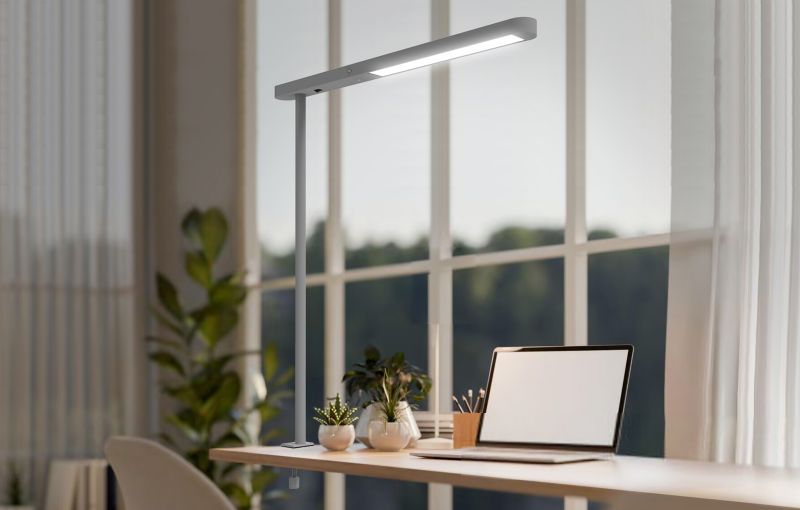
A desk lamp can look unobtrusive in a product photograph and feel very different beside a monitor. A useful comfort review considers the whole workstation: the visible light source, reflections, the task area and the user’s access to adjustment. These are concrete checks a sample can help answer.
1. Begin at seated eye level
Place the sample on the intended desk and sit in the normal working position. Check whether the light source is directly visible when looking at the screen, reaching for a document or turning towards a colleague. Repeat from the neighbouring seat if the desk is shared.
Try the adjustments allowed by the product and record positions that work. Avoid judging the lamp only while standing above it. The review should include the user’s likely movements, not just one carefully chosen viewing angle.
2. Look for reflections on the task
Use a dark screen, ordinary printed pages and any glossy documents handled in the role. Note where the lamp or window is reflected. Try a different lamp position or orientation, then check that the change has not created an awkward reach or a new reflection for another user.
Window light and overhead lighting also belong in this review. HSE’s work-environment guidance identifies blinds and changes to the angle of a light source among ways to manage glare. A desk-lamp setting should therefore be considered alongside the rest of the room.
3. Review the whole working area
Spread out the items used during a typical task. Read at the centre and edges of the document area, and check where hands or equipment cast shadows. Where an assessment needs measured illumination, record the measurement positions and conditions so the result can be repeated.
Keep the usual room lighting on during the comparison. Do not select a lamp solely from a photograph of a bright patch on a dark desk. The relationship between the task and its surroundings matters to the final arrangement.
4. Make adjustment part of the trial
Ask a user to find the switch and dimmer from their normal seat. Try the useful dimming range and check whether adjustment is predictable. If colour temperature can be changed, compare settings with the existing room lighting and confirm how the preferred setting is recalled.
Record any visible instability and request the relevant test information from the supplier where required. A visual sample review is useful, but it does not replace measured evidence or a project’s specified acceptance criteria.
5. Ask what a comfort claim is based on
If a product is described as eye-protective or glare-free, ask for the scope and supporting evidence rather than treating the label as a guarantee. Record the tested configuration and conditions. Do not turn a general lighting feature into a promise to prevent eye problems.
The purchasing decision can stay practical: document the positions that work, the settings users can control and the evidence still required. This creates an actionable brief without relying on broad health claims.
A useful enquiry checklist
Prepare these details before discussing the proposed configuration:
- Seated viewing positions and neighbouring users
- Screens, printed documents and reflective surfaces
- Task-area layout and any required measurements
- Lamp movement, mounting and control access
- Dimming observations and requested test evidence
- Recorded acceptance criteria for the selected version
Record the setup that works
Keep photographs and notes from the workstation trial with the sample approval. They explain why a position or control setting was chosen and help the same arrangement be checked after installation.