
Smart desk lighting for shared workstations
Plan what each person encounters when taking a seat, and what the next user inherits.
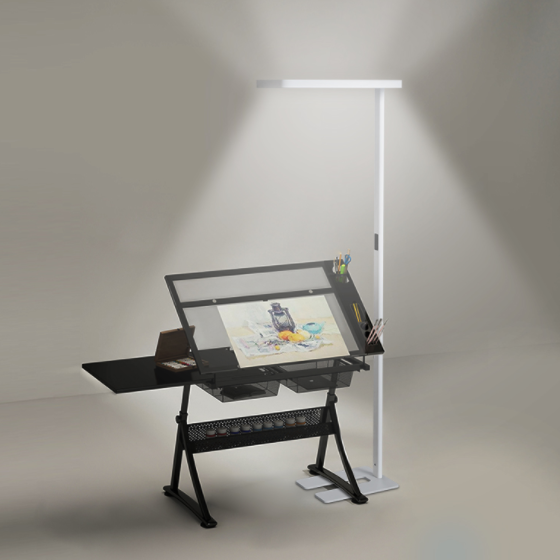
At a shared workstation, a lighting choice has to work for more than one person. A user may arrive with different tasks and preferences from the previous occupant. The brief should therefore describe a clear starting state, accessible adjustment and an understandable handover between users.
1. Define a useful starting state
Decide what should happen when a person arrives: whether they switch on locally, whether an automatic function responds, and which setting appears. Ask the supplier which parts of this sequence can be configured on the proposed version.
Consider whether the previous user’s setting should remain or a common starting setting should return. There is no need to assume one policy suits every workplace. Test the chosen approach with the people who will use and manage the desks.
2. Give users a clear route to adjustment
Check that switching and dimming are easy to find from a normal seated position. Let different users adjust the sample for the tasks they expect to perform. Observe whether the lamp and its controls remain accessible when their equipment is on the desk.
Specify which adjustments are personal and which are managed for the whole area. If adjustable colour temperature or separate lighting channels are required, list them explicitly. A smart label does not establish that a particular configuration includes these functions.
3. Test automatic behaviour around neighbours
If sensing is part of the brief, review a quiet working period, a short absence and movement at the adjacent desk. Check whether the proposed response affects someone who is still working. Record any configurable delays and the circumstances under which a manual adjustment is replaced.
Run the same sequence with more than one desk in use. Include the proposed partitions and normal routes through the area. For a focused sensor trial, use the motion-sensor desk-lamp review alongside the shared-workstation brief.
4. Agree how any connected functions are managed
If the selected configuration needs an app, account or network connection, identify who will set it up and maintain it. Confirm whether temporary users need to connect personal devices and what local actions remain available without that connection.
Ask how access is changed when a user leaves and how a replacement lamp joins the arrangement. Have the responsible team review the supplier’s setup information. Avoid choosing a connected option without an agreed owner for these routine tasks.
5. Rehearse the change between users
Have one person adjust the lamp, leave the workstation and let another person begin. Include a restart and any agreed reset process. Check whether the second person can understand the state of the lamp and recover a useful setting without specialist help.
Record the chosen configuration, shared settings, user instructions and contact for support. If the desk layout or control policy changes, repeat the affected checks. Keep personal preference separate from a fault report so support requests can describe what actually happened.
A useful enquiry checklist
Prepare these details before discussing the proposed configuration:
- Arrival behaviour and common starting settings
- User adjustments and area-wide control policy
- Quiet work, short absences and neighbouring movement
- Account or network requirements if applicable
- Reset, replacement and support responsibilities
- A handover trial involving successive users
Make shared operation predictable
Approve the lamp together with the settings and instructions people will use. A clear handover process keeps the workplace brief practical and avoids relying on features that have not been confirmed for the selected version.